
Download Disney AI Poster – Free Pixar‑Style Art Generator
Overview: Why Disney AI Poster Stands Out in the Crowd
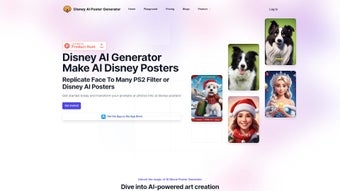
In a market flooded with AI‑driven creative tools, Disney AI Poster distinguishes itself by marrying the magic of Disney‑style illustration with the convenience of a web‑based platform. The service is built around a single promise: anyone—whether a hobbyist looking for a playful family portrait or a seasoned designer needing quick concept art—can generate high‑definition, Pixar‑inspired images with just a few clicks. At its core, the application offers two complementary creation paths.
The first is an image‑based workflow where you upload a personal photo and watch the AI reinterpret it in a whimsical, hand‑crafted style that feels straight out of a Disney storyboard. The second is a prompt‑based workflow that lets you type a descriptive sentence (“a brave kitten exploring a moonlit forest, Pixar lighting”) and have the model conjure a brand‑new scene from scratch. Both paths are powered by the latest Stable Diffusion XL engine, which excels at preserving fine textures, realistic lighting, and proportionally accurate characters—key ingredients that separate a mediocre AI render from a polished illustration.
The user interface is deliberately minimalistic: a clean canvas, a compact toolbar for size adjustments, and clearly labeled fields for positive and negative prompts. This design ensures that newcomers can start creating instantly, while power users can dive deeper into advanced parameters such as CFG scale, inference steps, and seed control. Beyond the generation engine, Disney AI Poster fosters a vibrant community hub where users share prompt recipes, discuss artistic techniques, and showcase their creations in a curated “Prompt Library.” Pricing follows a transparent, credit‑based model, eliminating the hidden‑fee traps common in subscription‑only services.
In short, Disney AI Poster combines cutting‑edge AI, an intuitive UI, and a supportive community to deliver a secure, affordable, and fun way to produce professional‑grade Disney‑style artwork.
Key Features & How They Translate Into Real‑World Benefits
- Dual Creation Modes: Upload a photo for instant Pixar‑style transformation or type a creative prompt to generate a brand‑new scene.
- Stable Diffusion XL Engine: Utilises one of the most advanced diffusion models for crisp textures, realistic lighting, and faithful character anatomy.
- Customizable Image Size: Choose from multiple resolutions (512 × 512 up to 2048 × 2048) to match social media, print, or desktop wallpaper needs.
- Positive & Negative Prompt Controls: Refine outputs by explicitly adding or removing visual elements, giving you granular artistic control.
- Prompt Library & Community Hub: Browse popular prompts, share your own, and discover new techniques from fellow creators.
- Credit‑Based Pricing: Purchase only the render credits you need, with bulk discounts for heavy users – no recurring fees.
- Secure Cloud Processing: All image generation happens on encrypted servers, ensuring privacy and compliance with GDPR.
- Cross‑Platform Accessibility: As a web app, it runs on any modern browser, making it compatible with Windows, macOS, Linux, Android, and iOS devices.
Why These Features Matter for Creators
The dual creation modes broaden the tool’s appeal. Photographers can instantly breathe new life into portrait or landscape shots, turning a simple selfie into a magical Disney character without learning any drawing software. Marketers and copywriters, on the other hand, can leverage the prompt engine to quickly prototype storyboards, concept art, or eye‑catching social posts.
The Stable Diffusion XL model guarantees that each render maintains a high level of detail, avoiding the pixelation or blandness sometimes associated with older AI tools. By offering both positive and negative prompt fields, Disney AI Poster empowers users to steer the AI away from unwanted artifacts—an essential capability for professional designers who need precise control over composition and style. The community prompt library acts as a living knowledge base; newcomers can start with proven prompts, while veterans can experiment with advanced phrasing, fostering continuous skill growth.
Finally, the credit‑based pricing model eliminates the fear of hidden costs. Users can test the service with a modest credit pack and scale up only when they see consistent value, making the tool both budget‑friendly and risk‑free.
Installation, Usage & Compatibility: Getting Started in Minutes
Step‑by‑Step Installation (Zero Download Required)
Disney AI Poster is a cloud‑native web application, which means there is no traditional installation process. To begin, navigate to the official website using any up‑to‑date browser (Chrome, Firefox, Edge, Safari). Click the “Sign Up” button and create a free account using an email address or a social login (Google or Apple).
After verifying your email, you’ll be directed to the dashboard where you can purchase credit packages or claim a free trial bundle. Because all rendering happens on remote servers, the only system requirement is a stable internet connection. For users who prefer a more desktop‑like experience, the platform also offers a progressive web app (PWA) option – simply click the “Install App” icon in the browser’s address bar to add a shortcut to your operating system’s application menu.
Creating Your First Disney‑Style Poster
Once logged in, you’ll see two primary tabs: Upload Image and Text Prompt. To transform an existing photo, click “Upload Image,” select a file (JPG, PNG, or WebP up to 10 MB), and choose your desired output size. You can then type a positive prompt such as “young girl in a magical forest, Pixar lighting, vibrant colors” and, optionally, a negative prompt like “no text, no watermark.” Hit “Generate,” and within seconds the AI returns a preview. For a prompt‑only workflow, switch to the “Text Prompt” tab, type your description, set the size, and adjust any advanced parameters (e.g., CFG scale, steps). The interface also displays a “Style Reference” carousel where you can select pre‑trained Disney‑style presets to guide the model further.
Operating System Compatibility
Because Disney AI Poster runs entirely in the browser, it is inherently cross‑platform. It supports:
- Windows 10/11 (any modern browser)
- macOS Monterey and later
- Linux distributions with Chromium‑based browsers
- Android 8.0+ (Chrome or Firefox)
- iOS 13+ (Safari or Chrome)
The responsive design automatically adapts to touch screens, so tablet users enjoy the same workflow as desktop users. All major browsers are tested for compatibility, and the platform follows progressive enhancement principles to ensure a smooth experience even on lower‑end devices.
Maintenance, Updates & Support
Since the application lives on the provider’s servers, updates are seamless – new features, model improvements, and security patches are deployed automatically without user intervention. A dedicated support portal offers a knowledge base, live chat, and email assistance, typically responding within 24 hours. Regular newsletters announce upcoming model upgrades (e.g., migration to Stable Diffusion XL‑2) and community contests, keeping the user base engaged and informed.
Pros, Cons, FAQ & Final Verdict
Pros & Cons
- ✅ Easy to use: Intuitive UI suitable for beginners.
- ✅ High‑quality output: Stable Diffusion XL delivers detailed Pixar‑style renders.
- ✅ Flexible pricing: Credit system with no hidden subscription fees.
- ✅ Cross‑platform: Works on Windows, macOS, Linux, Android, and iOS.
- ✅ Community‑driven: Prompt library and sharing hub foster creativity.
- ❌ Internet dependency: Requires a stable connection for rendering.
- ❌ Limited offline capability: No local rendering engine.
- ❌ Credit management: Users must monitor usage to avoid unexpected depletion.
Frequently Asked Questions (FAQPage)
How many credits does a single high‑resolution render consume?
A 1024 × 1024 render typically uses 5 credits, while a 2048 × 2048 image consumes 12 credits. The exact cost is displayed before you confirm generation.
Can I use the generated images for commercial purposes?
Yes. Once you have purchased credits, the resulting artwork is yours to use commercially, provided you comply with Disney AI Poster’s terms of service and do not infringe on existing Disney intellectual property.
Is there a free trial available?
New users receive a complimentary 10‑credit pack after email verification, allowing them to test both image‑based and prompt‑based generation without cost.
What file formats can I export?
Exports are available in PNG (lossless) and JPG (adjustable quality). Both formats include a transparent background option for PNG.
How does the negative prompt feature work?
Negative prompts let you specify elements you want the AI to avoid, such as “no watermarks,” “exclude text,” or “avoid dark shadows.” This helps fine‑tune the final image and reduces the need for post‑processing.
Final Verdict & Call to Action
Disney AI Poster delivers on its promise of turning imagination into Pixar‑like artwork with remarkable ease. Its blend of powerful AI, community support, and flexible pricing makes it a standout choice for creators who want high‑quality Disney‑themed visuals without learning complex 3D software. While the reliance on an internet connection may be a drawback for some, the trade‑off is a constantly updated engine and secure cloud processing. If you’re looking for a free, secure, and instantly accessible tool to generate magical posters, concept art, or social media graphics, Disney AI Poster is ready to download and start creating today.
Start your free trial now and unleash the Pixar magic within every image you imagine!



.png)



